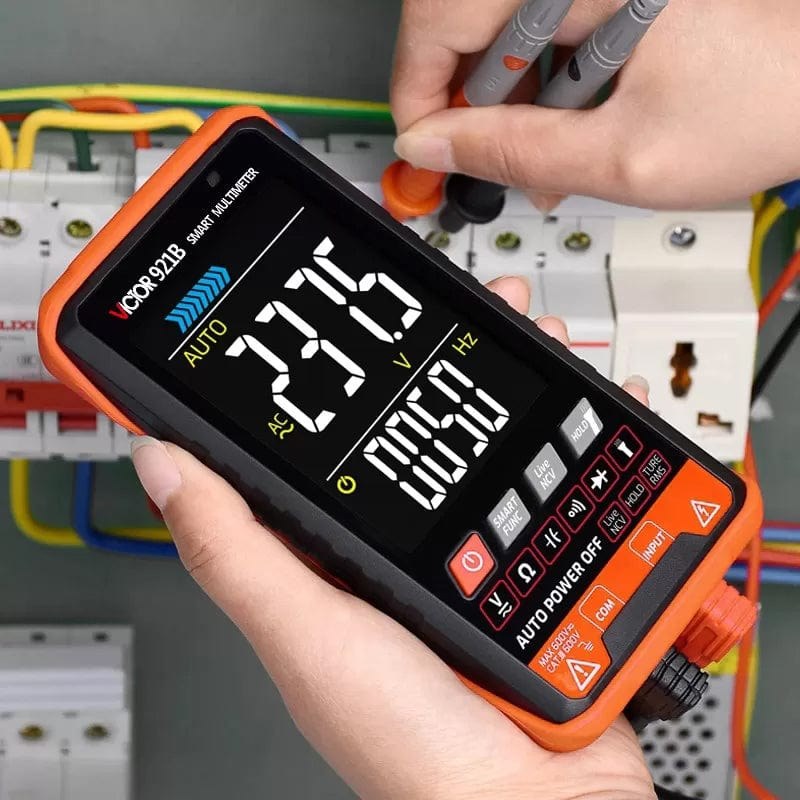
What it is used for
Multimeter for electronics inspection and troubleshooting.
Support electronics assembly, measurement, prototyping, repair, or workshop organization.
Projects and applications
Use tools to assemble and inspect a low-voltage robot, prototype wiring, measure a circuit, or make a suitable enclosure. Select a tool with the correct measurement range, connector system, temperature, or material capability for the task.
Before choosing it, write down the project goal, expected environment, operating voltage, current demand, physical dimensions, required controller or driver, and any software or accessories needed.
Getting started
Read the exact tool manual, inspect leads, guards, cables, and work surface, and choose protective equipment for the task. Begin with a low-risk practice task and keep the work area ventilated and clear.
Available product specification
Multimeter for electronics inspection and troubleshooting.
What to check before use
- Use only within the tool’s electrical and measurement ratings; inspect probes and insulation before use.
- Wear eye protection where cutting, soldering, or hot work is involved; keep heat sources on a stable stand.
- Unplug tools before changing tips or accessories; keep hot tools and small parts away from children.
Specifications and package contents can vary by model or supplier batch. Confirm the exact variant, datasheet, wiring diagram, and manufacturer instructions supplied with your item. If a rating or pinout is unclear, ask a qualified instructor or technician before powering it.
Related learning and support
Use the OmniDev Learning Hub to explore other product guides and tutorials. For help selecting parts for a build, contact the OmniDev team with the product name, model, and project goal.