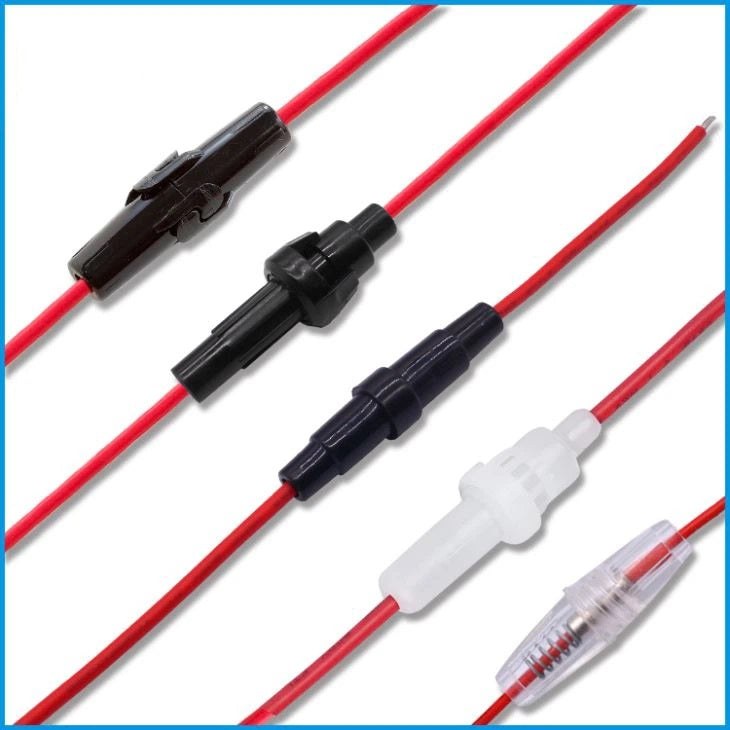
What it is used for
Appropriately rated fuse and protection components selected for the installation.
Provide or regulate low-voltage power for a controller, sensor, display, motor driver, or small robotics prototype.
Projects and applications
Power planning is part of every robot, sensor station, and portable classroom prototype. Choose the supply only after calculating voltage and current needs for the controller and attached loads; motors often need a separate appropriately rated supply.
Before choosing it, write down the project goal, expected environment, operating voltage, current demand, physical dimensions, required controller or driver, and any software or accessories needed.
Getting started
Match the output voltage, current capacity, polarity, connector, and battery chemistry to the load. Start with power disconnected, check polarity with a meter where possible, and use suitable fusing and insulation. Batteries and mains-connected supplies require the maker’s handling instructions.
Available product specification
Appropriately rated fuse and protection components selected for the installation.
What to check before use
- Never exceed a component’s rated voltage or current; a higher current capacity is acceptable only at the correct voltage and polarity.
- Do not short, puncture, crush, heat, or charge a battery with an incompatible charger.
- Keep exposed conductors insulated and disconnect power before changing a circuit. Do not modify mains equipment.
Specifications and package contents can vary by model or supplier batch. Confirm the exact variant, datasheet, wiring diagram, and manufacturer instructions supplied with your item. If a rating or pinout is unclear, ask a qualified instructor or technician before powering it.
Related learning and support
Use the OmniDev Learning Hub to explore other product guides and tutorials. For help selecting parts for a build, contact the OmniDev team with the product name, model, and project goal.