What it is used for
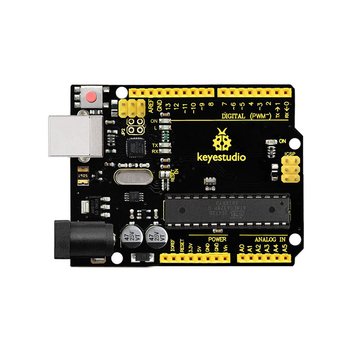
Keyestudio UNO R3 Compatible with Arduino (USB Cable Included) (SKU KS0001). Supplier catalog listing; confirm the supplied variant, pack contents, availability and quotation before ordering.
Run code that reads inputs and controls LEDs, displays, sensors, communication modules, and properly driven motors.
Projects and applications
Common projects include a sensor data logger, Wi-Fi status monitor, line-following robot, simple display, and an automated light or pump prototype. Check the board’s wireless features, memory, pin count, and logic level against the project requirements.
Before choosing it, write down the project goal, expected environment, operating voltage, current demand, physical dimensions, required controller or driver, and any software or accessories needed.
Getting started
Identify the board revision, logic voltage, USB or external supply requirements, pinout, and supported programming environment. Install the board’s official driver or IDE support, select the matching board and port, and begin with a simple example before attaching other circuits.
Available product specification
Keyestudio UNO R3 Compatible with Arduino (USB Cable Included) (SKU KS0001). Supplier catalog listing; confirm the supplied variant, pack contents, availability and quotation before ordering.
What to check before use
- Verify board voltage and GPIO logic levels; never assume 5 V tolerance.
- Avoid shorting pins or powering the same rail from conflicting sources.
- Use official board documentation and keep firmware libraries from trusted sources up to date.
Specifications and package contents can vary by model or supplier batch. Confirm the exact variant, datasheet, wiring diagram, and manufacturer instructions supplied with your item. If a rating or pinout is unclear, ask a qualified instructor or technician before powering it.
Related learning and support
Use the OmniDev Learning Hub to explore other product guides and tutorials. For help selecting parts for a build, contact the OmniDev team with the product name, model, and project goal.