What it is used for
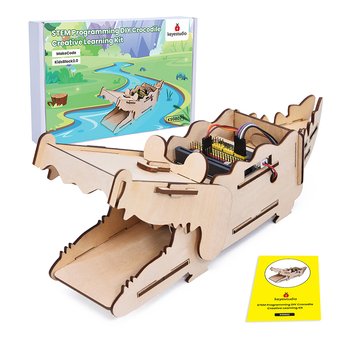
STEM DIY Crocodile Creative Learning Kit (SKU KS0802). Supplier catalog listing; confirm the supplied variant, pack contents, availability and quotation before ordering.
Extend a compatible controller or computer with a specialized learning activity, such as computer vision, voice interaction, or edge AI, depending on the exact board and kit.
Projects and applications
Possible learning builds include a camera-based object counter, local keyword response, or sensor-driven AI demonstration. Confirm the model supports the framework, operating system, camera or microphone, memory, and power requirements before planning a project.
Before choosing it, write down the project goal, expected environment, operating voltage, current demand, physical dimensions, required controller or driver, and any software or accessories needed.
Getting started
Check the exact kit contents, supported controller or computer, operating system, library versions, model files, and any camera or microphone requirements. Follow the maker’s setup guide and test the sample program before connecting additional hardware.
Available product specification
STEM DIY Crocodile Creative Learning Kit (SKU KS0802). Supplier catalog listing; confirm the supplied variant, pack contents, availability and quotation before ordering.
What to check before use
- Confirm software, memory, processor, interface, and accessory compatibility from the exact model documentation.
- Use trusted software downloads and understand what data a connected camera, microphone, or network service may collect.
- Keep the device ventilated, use the specified supply, and do not present an educational AI output as a safety-critical decision.
Specifications and package contents can vary by model or supplier batch. Confirm the exact variant, datasheet, wiring diagram, and manufacturer instructions supplied with your item. If a rating or pinout is unclear, ask a qualified instructor or technician before powering it.
Related learning and support
Use the OmniDev Learning Hub to explore other product guides and tutorials. For help selecting parts for a build, contact the OmniDev team with the product name, model, and project goal.